
Custom Neoprene Laptop Sleeves: A Simple Buying Guide
A good custom neoprene laptop sleeve is a soft, stretchy case made from SBR neoprene foam that fits your laptop, guards it against knocks and scratches, and keeps light rain off. We make it to order in any size, thickness, and colour, with your logo printed or stitched on the front.
This guide explains what a laptop sleeve does, how to pick thickness and size, and how to order one with your own colours and logo.
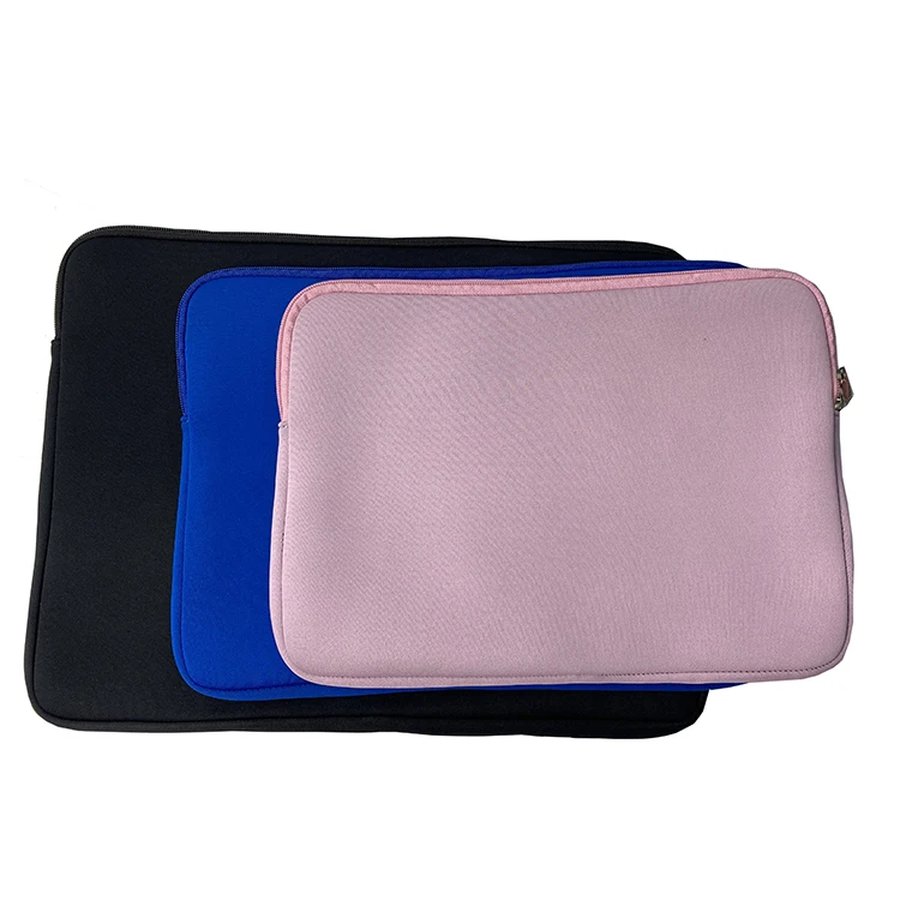
Three custom neoprene laptop sleeves in black, blue, and pink — the same soft matte foam, made to fit 13, 14, and 15-inch laptops.
What Is a Neoprene Laptop Sleeve?
A laptop sleeve is a slim, soft case that hugs your laptop. It has no hard shell and no extra bulk. You slide the laptop in, zip it shut, and drop it in your bag. The sleeve takes the knocks so your laptop does not. It stops keys, chargers, and pens in the same bag from scratching the lid, and it softens small bumps on the way to work or school.
Most sleeves are made from SBR neoprene foam, the soft, light grade that keeps the price down for daily goods. CR neoprene foam sheet is the premium option when you want better heat resistance and a longer life. The foam is made of tiny closed cells that cushion each bump and slow water down, so a splash or light rain beads up instead of soaking in. See our ultimate guide to neoprene sheets for how the foam is made, and our guide to waterproof vs water-resistant neoprene to know what to expect in rain.
The foam is often laminated with fabric on one or both faces. The fabric gives the sleeve its colour and a soft feel. The foam gives it stretch, cushion, and light padding. A zipper runs along the top and one side, so the laptop slides in and out with ease.
How Thick Should the Neoprene Be?
Thickness is the first choice to make. A thicker sleeve pads harder knocks. A thinner sleeve feels lighter and slips into a tight bag with ease. There is no single best choice. It depends on how you carry your laptop.
| Thickness | Feel | Protection | Best for |
|---|---|---|---|
| 2 mm | Light and slim | Everyday bumps | Home and office, tight bags |
| 3 mm | Soft and padded | Most knocks | Most laptops, the common choice |
| 5 mm | Thick and firm | Hard knocks | Rough travel, extra drop protection |
For most laptops, 3 mm is the safe middle ground. It pads everyday bumps and still feels slim. For a soft, light sleeve we use a soft SBR grade — our SBR 5–7° foam is the soft grade for sewn accessories. See our neoprene sheet thickness guide for how to pick the right mm for any product. If you only carry your laptop between home and office, 2 mm is enough. If you travel a lot, 5 mm is worth the extra bulk.
How Do You Pick the Right Size?
Measure your laptop first: width across the widest side, depth from front to back, and thickness when closed. Then add a little room — about 5 mm on each side — so the sleeve slides on and off without a fight. A sleeve that fits too tight strains the zipper. A sleeve that is too loose lets the laptop slide around inside.
Tell the maker your laptop model as well as its size. A 13-inch MacBook Air and a 13-inch gaming laptop are not the same shape, and the corners matter. We cut each sleeve to the model you give us, so the fit is snug without being tight.
Most brands order 13, 14, and 15-inch sizes first, then add 16-inch or 11-inch sizes for the rest of the range. You can see more neoprene laptop sleeves on our source site, where we list sleeves, bags, and cases made from the same material.
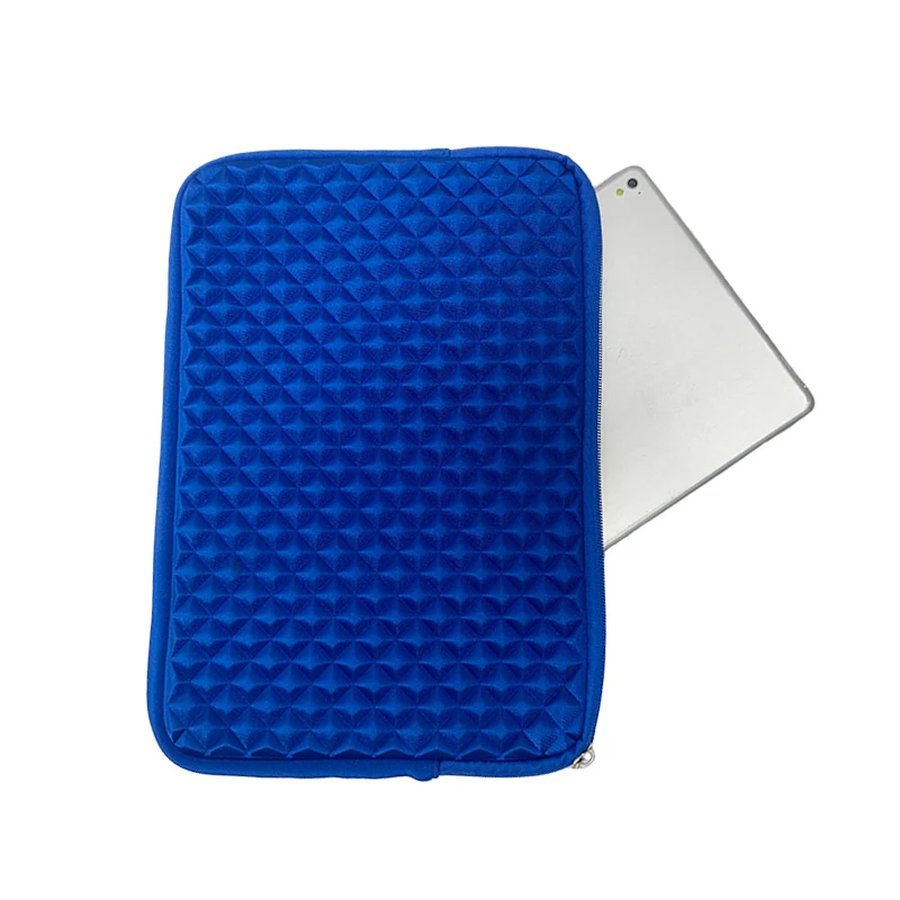
A blue diamond-pattern neoprene laptop sleeve with the laptop half out — the soft foam grips the laptop and keeps it from sliding.
Zipper, Slip-In, or With a Handle?
For a first custom order, most brands start with a zipper that runs along the top and one side. It is easy to use, easy to size, and easy to sell. A slip-in sleeve with no zipper suits a clean, minimal look, but it gives less protection at the opening.
A handle turns the sleeve into a carry case of its own. It suits students and commuters who want to grab the laptop and go. An extra front pocket holds a charger, a mouse, or a notebook, so the sleeve works as a small work kit.
Think about the zipper pull too. A small rubber pull is quiet and smooth. A metal pull lasts longer but can scratch a desk. Tell us which one you want before we cut the first sample.
An inside pocket is worth asking about too. A slim inner pocket holds a few papers or a cable without adding bulk to the sleeve. Some brands add a soft lining inside the main pocket, so the laptop screen never touches a rough zipper. A soft grey or black lining is the usual choice, and it also hides dust and marks better than a white one. Tell us if you want the lining in a different colour.
What Colours and Prints Can You Order?
Black is the most popular colour, but many brands pick a colour that matches their logo. Blue, grey, and pink sell well for schools and offices. Bright colours suit gifts and promos. We dye the fabric face to your colour, so the shade stays even across the whole order.
Your logo can be printed, heat-transferred, or stitched on the front. A single-colour print is the cheapest and cleanest choice for most orders. See our custom neoprene colour matching and printing guide for how we match your brand colour and keep the print sharp after washing.
Keep the logo simple. A small logo on the front corner looks neat and costs less than a full-face print. A large logo across the middle suits a promo gift. Send us your logo file and we will show you how it looks before we cut anything.
How Do You Clean a Neoprene Laptop Sleeve?
Wipe the sleeve with a damp cloth after a dusty trip. For a deeper clean, wash it by hand with mild soap and cool water. Press it gently in the water. Do not scrub hard. Rinse it well until the soap is gone. Then press the water out with a towel.
Let it air-dry in the shade, away from sun, radiators, and dryers. Heat can make neoprene stiff and crack over time. Let it dry fully before you put the laptop back in. A dry sleeve keeps its stretch and its shape for years.
Your Trusted Custom Neoprene Laptop Sleeves Manufacturer
We are a custom neoprene manufacturer in Shenzhen, China. We cut, stitch, and print every sleeve to order, in any size, thickness, and colour. We check each sleeve before it ships, so the zipper runs smooth and the stitching holds.
To order, visit www.neoprenecustom.com or see more laptop sleeves and cases on our source site. Send us your laptop size, the thickness you want, and your logo file. We will make a sample first, so you can check the fit and the print before the full order.
To start your order, email us at kevin@neoprenecustom.com. Tell us the laptop size, how many sleeves you need, and the colour and logo you want. We will reply with a quote and a sample plan.
Frequently Asked Questions (FAQ)
Q: What size laptop sleeve do I need?
A: Measure your laptop's width, depth, and thickness when closed, then add about 5 mm on each side. A 13-inch laptop usually takes a 13-inch sleeve, but the shape matters, so tell us your laptop model too.
Q: Is a neoprene laptop sleeve waterproof?
A: Neoprene slows water down and shrugs off splashes and light rain, but it is not fully waterproof. Do not leave it standing in water. For heavy rain, keep it inside your bag.
Q: How thick should a laptop sleeve be?
A: 3 mm suits most laptops. It pads everyday bumps and still feels slim. Pick 2 mm for a light, slim sleeve, or 5 mm if you travel a lot and want extra drop protection.
Q: Can I wash a neoprene laptop sleeve?
A: Yes. Wash it by hand with mild soap and cool water, rinse well, and air-dry in the shade. Do not use a dryer or dry it in direct sun.
Q: Can you print my logo on the sleeve?
A: Yes. We print, heat-transfer, or stitch your logo on the front in any colour. A single-colour print is the simplest choice, and we show you a proof before we cut the order.
Q: How can we order custom colours and logos?
A: Email us at kevin@neoprenecustom.com with your laptop size, the number of sleeves, and your colour and logo. We will reply with a quote and make a sample for you to check first.